🎟️ Promo Code Guide
How to use a promo code
Promo codes may be issued from a rank up bonus, a newsletter, a banner ad, or other method of delivery. For promo codes issued to your account, you can find them on the My Promo Codes page. Have your promo code ready so you can apply it on the purchasing form.
1
Select a Promo Code
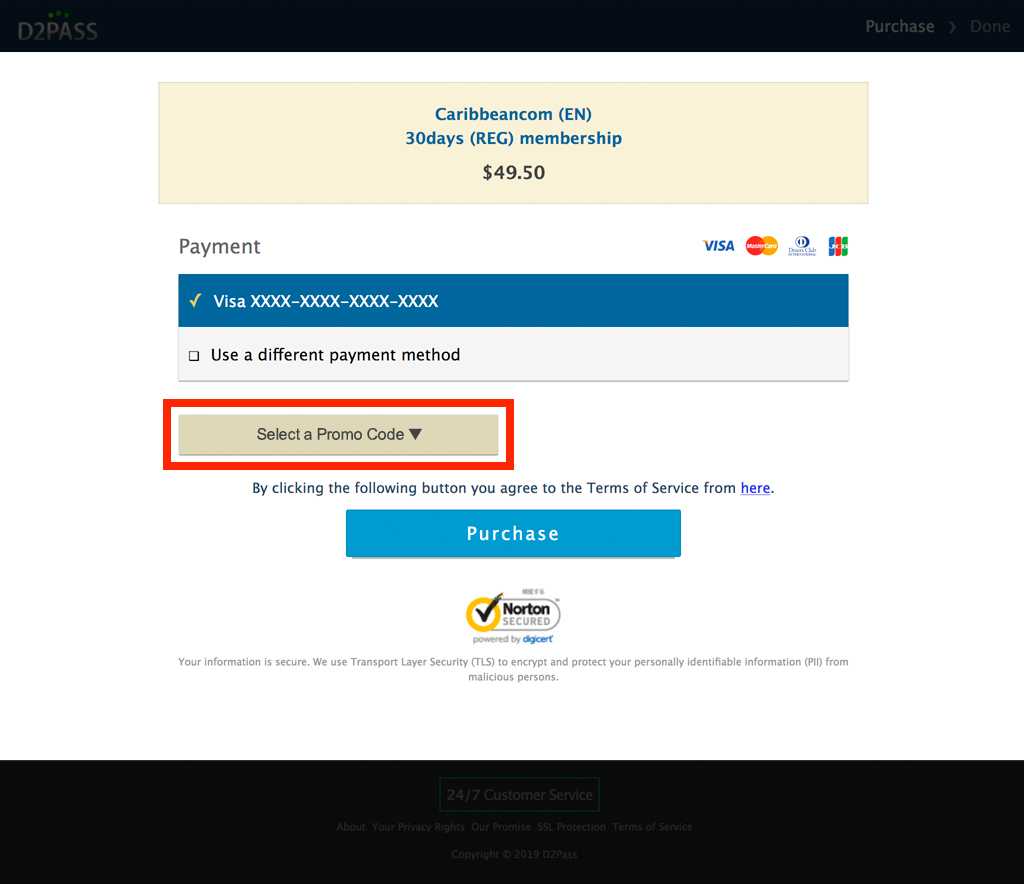
Click the “Select a Promo Code” button on your purchase form.
2
Open the promo list
Click on “Select a Promo Code.”
3A
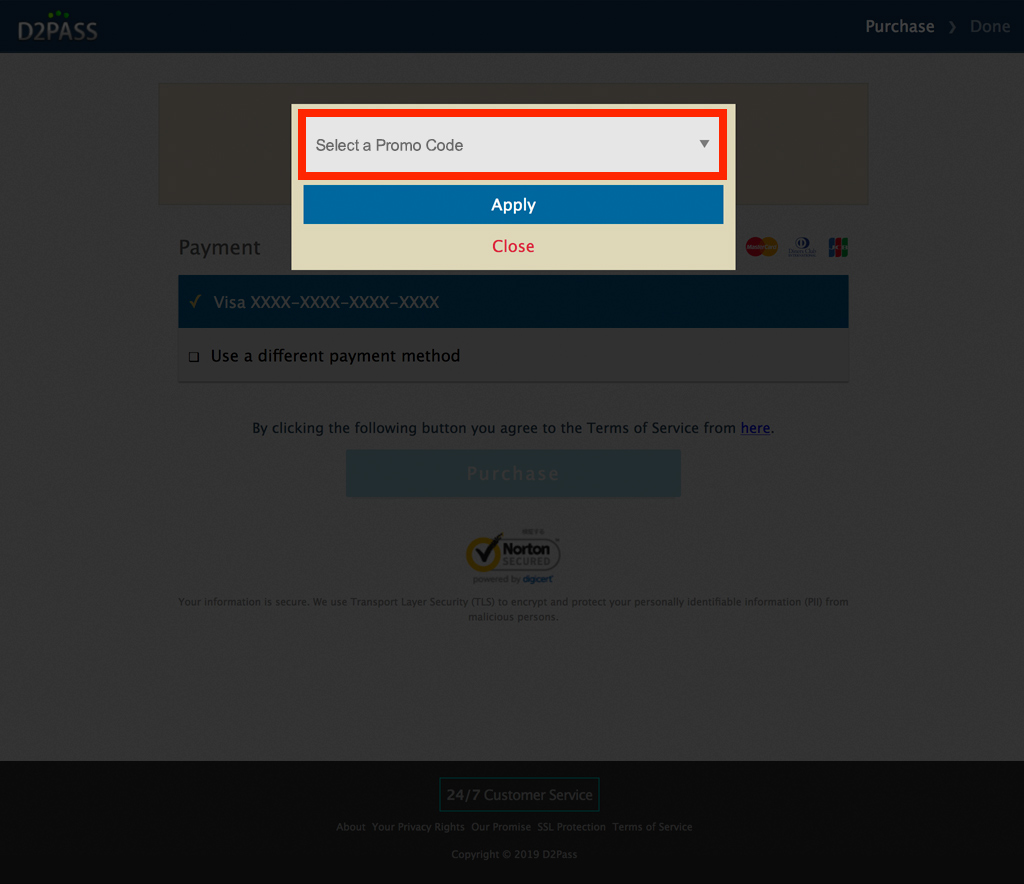
Choose a saved promo code
Select a promo code from the dropdown menu.
3B
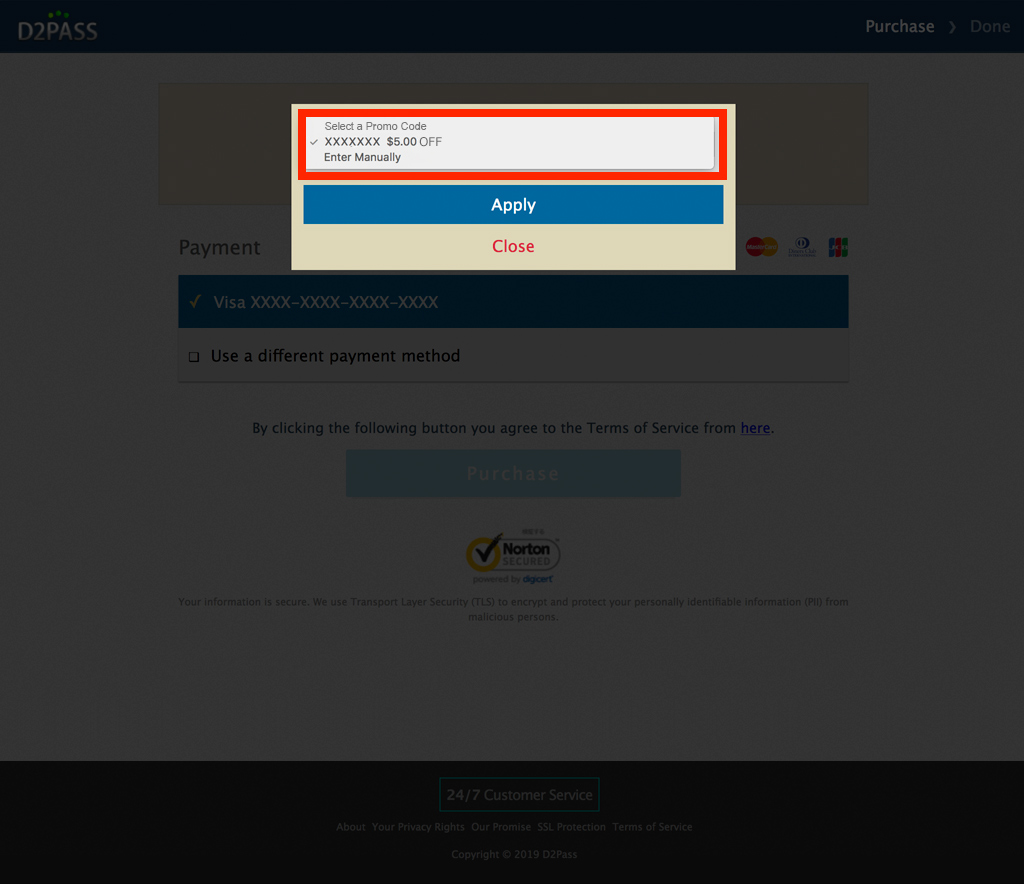
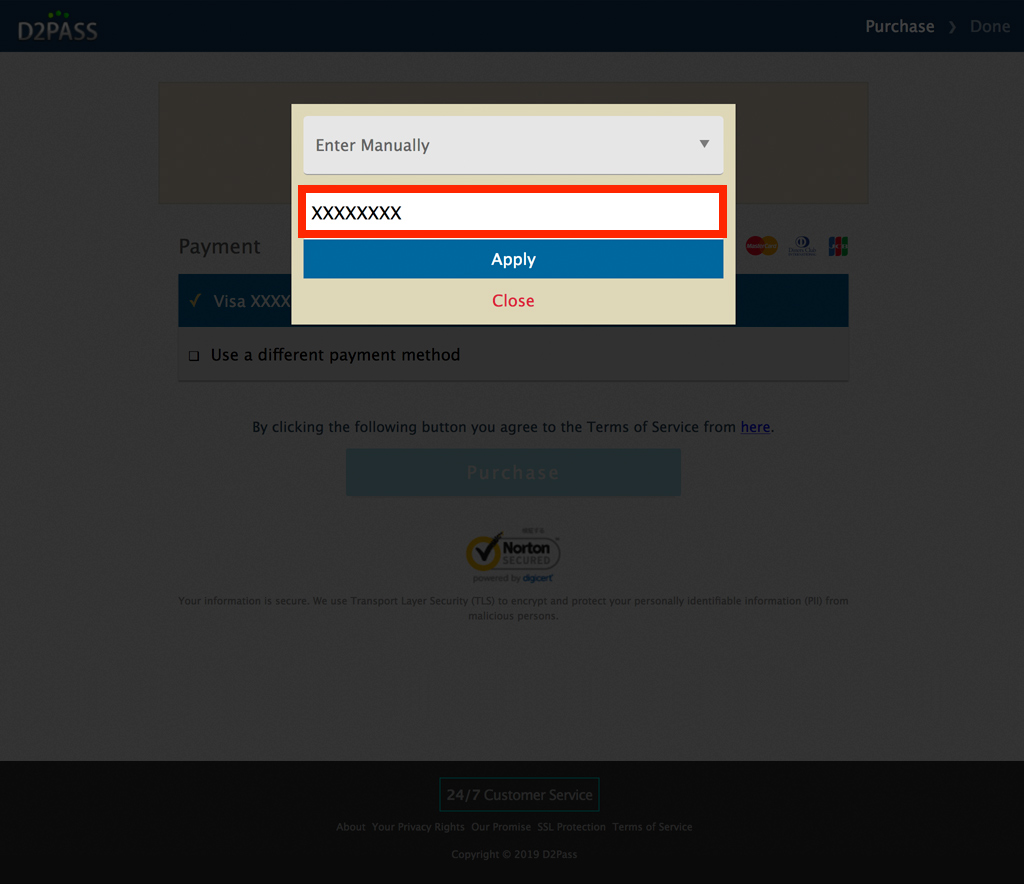
Enter a promo code manually
If you received a promo code via a rank up bonus, newsletter, or banner, select “Enter Manually” and type the code.
4
Apply and purchase
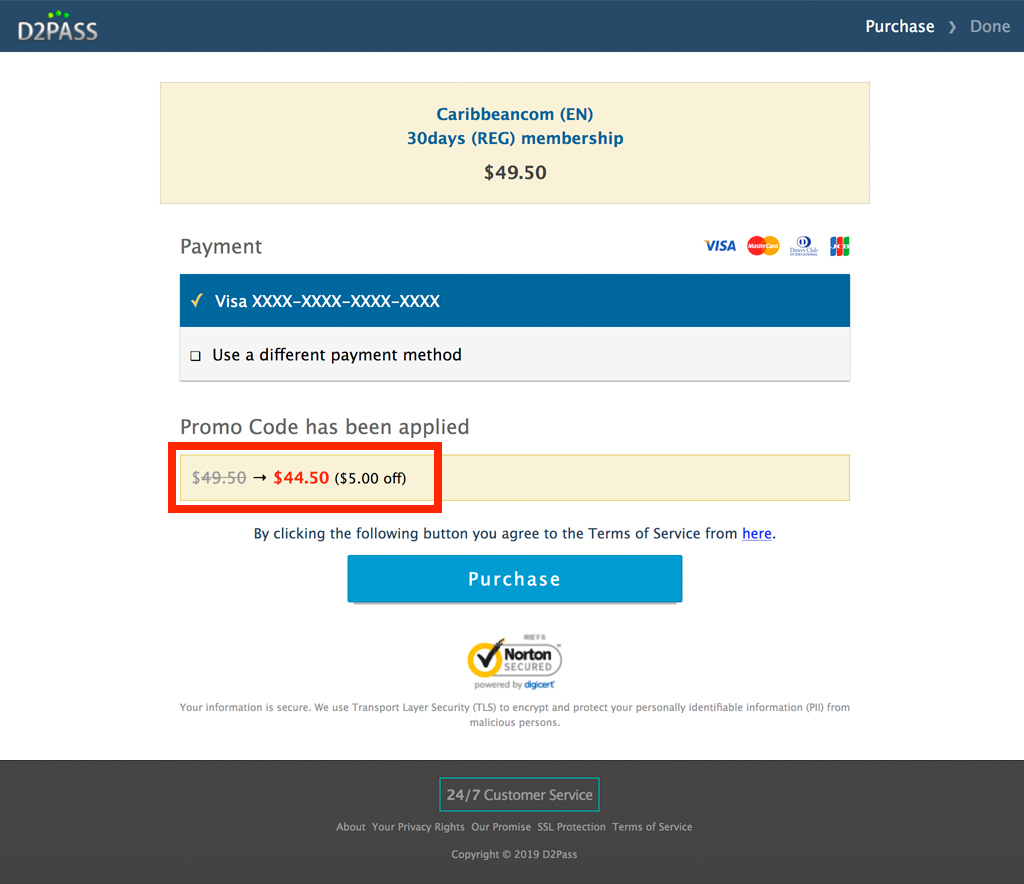
Click “Apply.” The total will update with the discount. Review your amount and click “Purchase.”